 Storage Cleaner
The Mac storage cleaner built for developers
Your Mac is full of models and build junk you forgot about. Storage Cleaner finds the gigabytes that Ollama, Hugging Face, Xcode, node_modules, Docker and package managers quietly keep, shows when you last used each one, and cleans them safely.
Launching soon on the Mac App Store and as a direct download · Scanning free forever · First 10 GB of cleaning free · macOS 15+
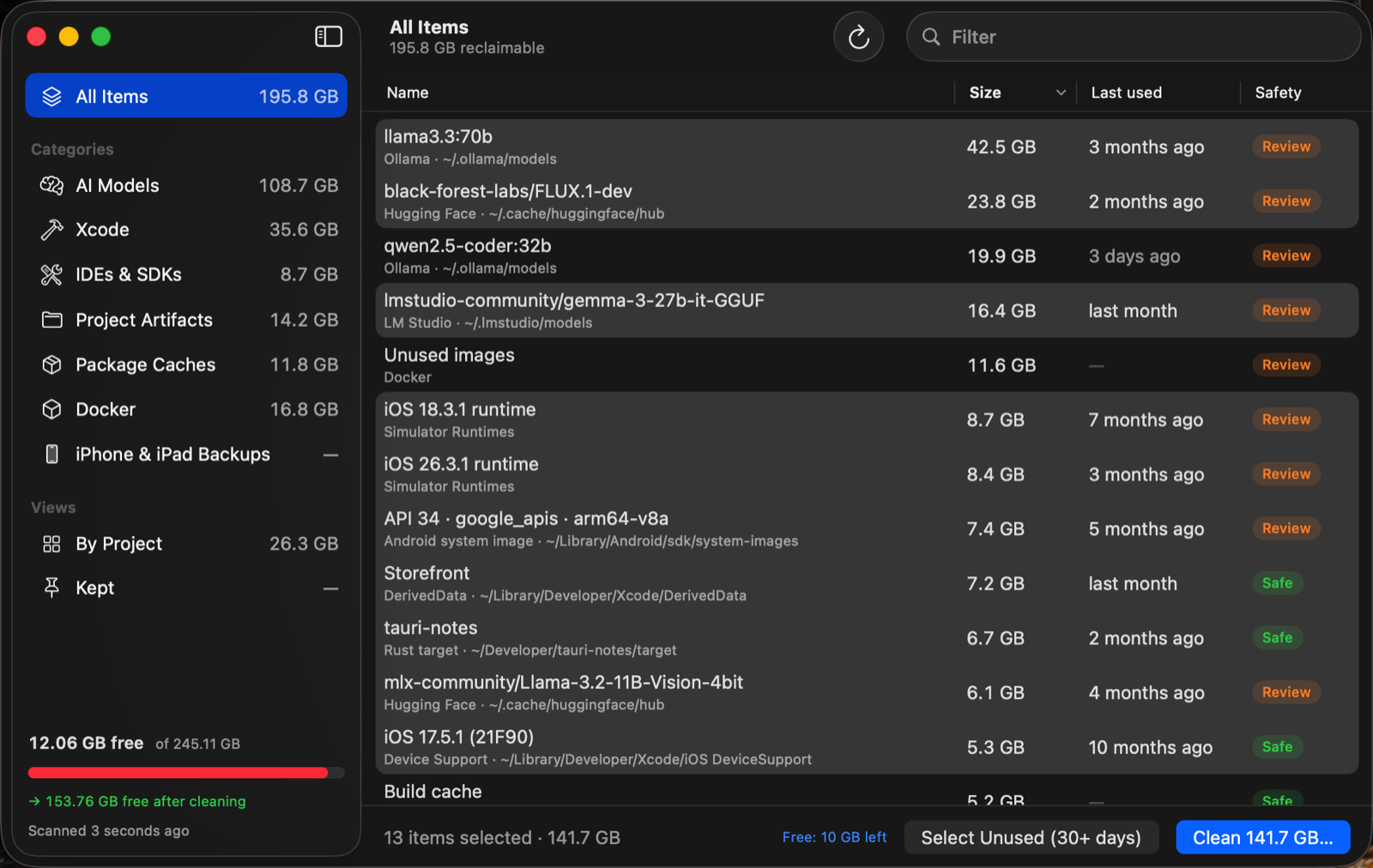
An example scan of a developer's Mac. Your numbers will differ.
Everything that hoards space, on one screen
Disk visualizers tell you a folder is big. Storage Cleaner tells you what it is, when you last used it, and what happens if you remove it.
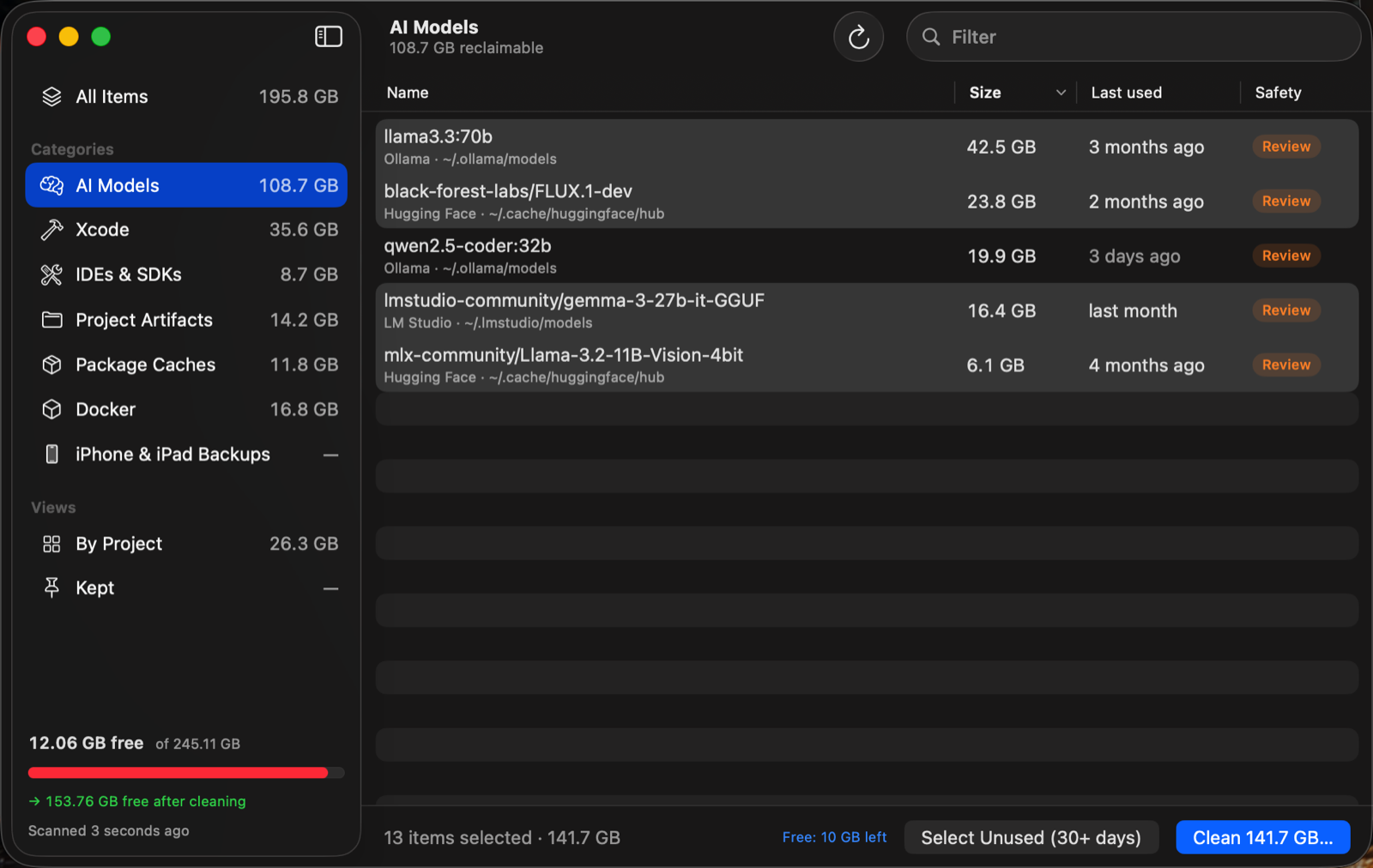
Local AI models
Ollama, Hugging Face / MLX and LM Studio models. For Ollama, only the layers no other model shares are counted, so the number is what you actually get back.
Often 5–40 GB per model
Xcode
DerivedData per project, simulator runtimes, dead simulators, device support files, preview caches and old archives.
Commonly 20–100 GB
Project artifacts
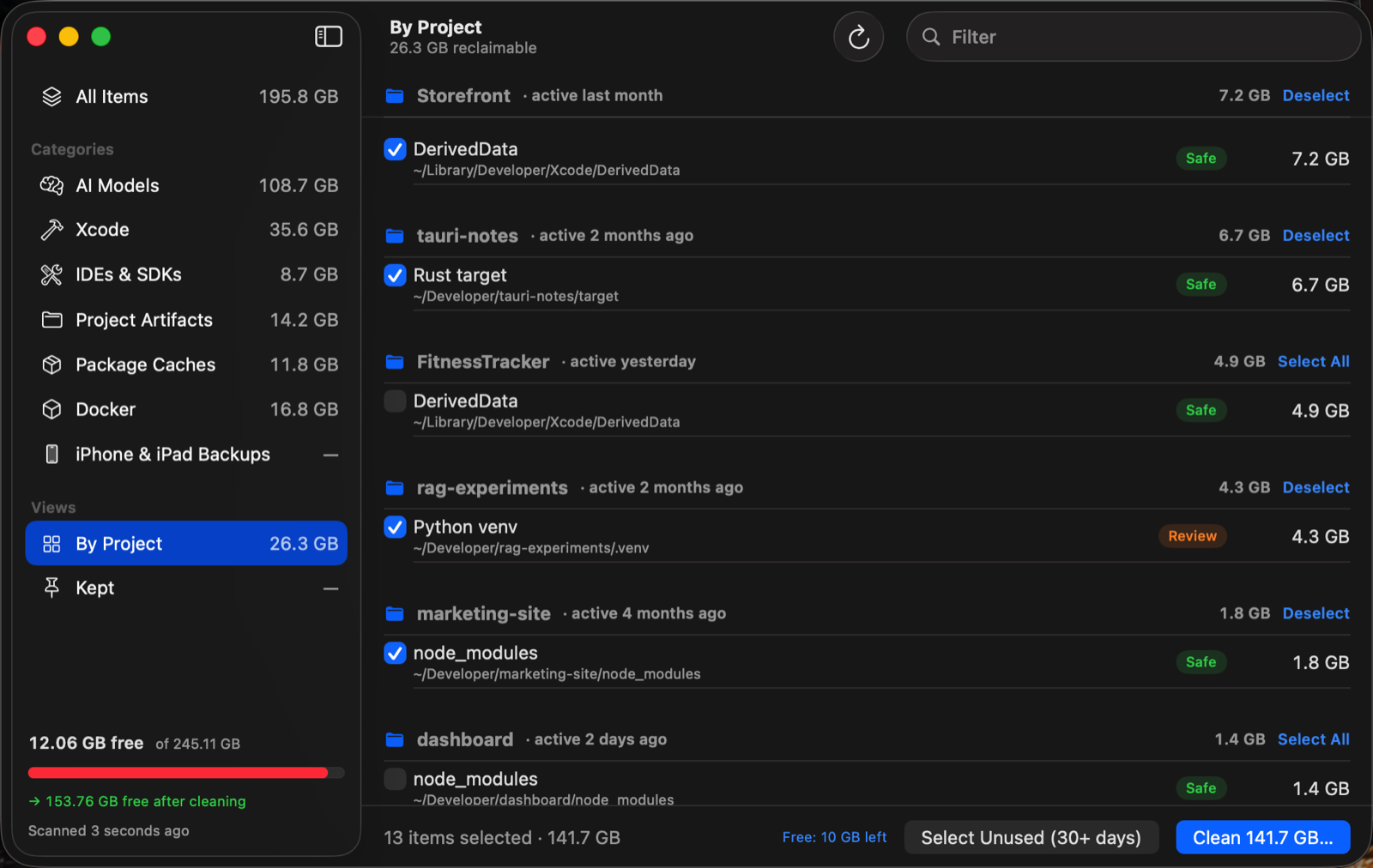
node_modules, Rust target folders, Python virtual environments, SwiftPM and Next.js builds across all your project folders.
0.2–5 GB per project
Package caches
npm, pnpm, Yarn, Bun, pip, uv, Homebrew, Cargo, Gradle, Maven, CocoaPods, Go, pub, Playwright, Conda environments and more.
1–30 GB
IDEs & SDKs
Android system images and emulators, JetBrains caches and old-version settings, VS Code, Cursor and Windsurf caches, Unity downloads.
Often 5–20 GB
Docker & device backups
Unused Docker images and build cache (never volumes), plus forgotten iPhone and iPad backups.
10–60 GB
Built to never delete the wrong thing
A cleaner you're afraid to click is useless. Storage Cleaner is careful by default.
- Files go to the Trash, with UndoPut them back with one click, even after a restart, until you empty the Trash. The few things only their own tool can remove (Docker images, simulator runtimes) are clearly marked as permanent before you confirm.
- Every item has a safety ratingSafe caches rebuild themselves. Review items can be re-downloaded. Caution items (like Xcode archives) are never auto-selected.
- Hard guardrailsNothing outside your home folder, no top-level folders like Documents, no symlinks, no Docker volumes. Ever.
- Nothing leaves your MacNo account, no uploads, no telemetry. The only network calls are license and update checks.
Set it and forget it
Storage Cleaner lives in your menu bar and keeps an eye on things.
Scan automatically
Storage Cleaner rescans in the background on a schedule you choose. The menu bar shows how much you can reclaim at a glance.
Review what matters
Sort by size or last use, view everything by project, or click "Select Unused" to pick what you haven't touched in 30 days.
Automate the boring part
Rules like "DerivedData unused for 14 days" run after background scans. They only ever touch Safe items.
Keep what you need
Pin a model or project and Storage Cleaner will never suggest it again.
Simple pricing. No subscription.
Scan free forever and see exactly how much you'd get back. Pay once to clean.
Personal
one-time · 1 Mac · secure checkout by Dodo Payments
- All scanners and future updates to v1
- Cleaning, Undo and automation rules
- Clean your first 10 GB free before you buy
Multi-Mac
one-time · up to 3 Macs
- Everything in Personal
- For your laptop, desktop and build machine
- Move activations any time
Questions
Is it safe to delete these things?
Everything Storage Cleaner offers is either rebuilt automatically (caches, DerivedData, node_modules) or can be re-downloaded (models, runtimes). Each item says exactly what happens if you remove it, and files go to the Trash so you can Undo.
Why isn't it on the Mac App Store?
The App Store requires sandboxing, which blocks apps from reading folders like ~/Library/Developer and ~/.ollama. Storage Cleaner is signed and notarized by Apple for direct download instead.
Does moving to the Trash actually free space?
Not until you empty the Trash, which is what makes Undo possible. If you'd rather free space immediately, turn off "Move items to the Trash" in Settings.
Will it touch my Docker volumes or iPhone backups?
Docker volumes are never offered. iPhone backups are shown (they're often huge) but marked Caution and never auto-selected or auto-cleaned.
What do I need?
macOS 15 Sequoia or later, on Apple silicon or Intel. No account.
Can I get a refund?
Scanning is free forever, and every Mac can clean its first 10 GB for free, so you can see Storage Cleaner work on your own Mac before paying. Because of that, all sales are final, except duplicate purchases, a license that won't activate and we can't fix, or where local law gives you a right to cancel. Those we always refund within 14 days of purchase. See the refund policy. Bought on the Mac App Store? Refunds there are handled by Apple.
See how much you'll get back
The scan is free. It takes seconds.